Figma Advanced
Component Library
UI/UX Design
Figma
Why Proper Component Architecture Matters
A messy Figma file with unlinked layers and disconnected buttons is impossible to scale. Senior product designers don't just design static screens; they engineer robust components that adapt instantly to changing product requirements.
Building a clean, production-ready library reduces manual rework and ensures seamless handoffs to developers.
Core Rules for Reusable Libraries
Structural Nesting: Always build complex components by nesting smaller base items (like icons or text styles) inside them. This ensures that a global swap changes everything automatically.
Consistent Properties: Define clear variant properties across states like Default, Hover, Focus, and Disabled to make states intuitive for anyone using the file.
Component Instancing: Never break or detach instances to force a quick fix. Instead, structure your variants comprehensively so they accommodate edge-case content adjustments natively.
Step-by-Step Implementation in Figma
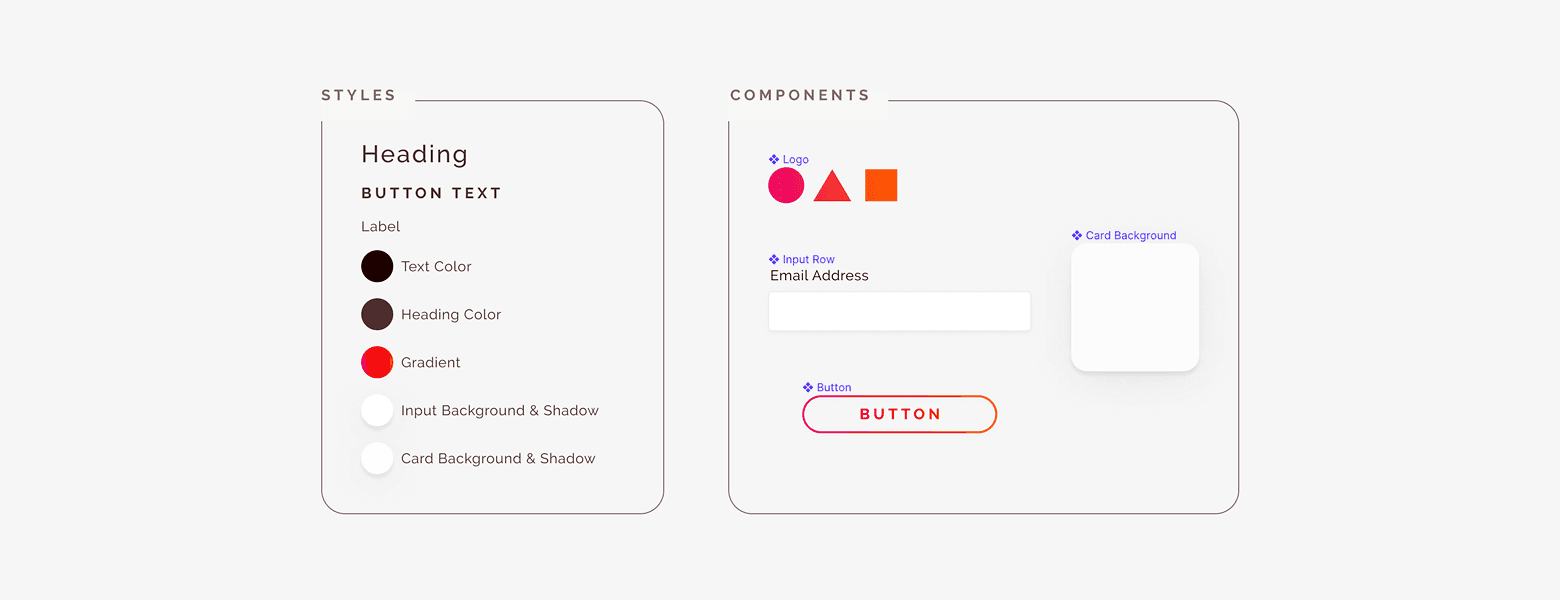
Define Global Tokens First: Lock your foundational color styles and text hierarchy rules before generating high-level system assets.
Utilize Boolean Properties: Use simple True/False toggles for elements like left/right icons inside buttons to eliminate redundant variant layers.
Map Naming Conventions: Keep layers organized using structured naming conventions (e.g.,
Button / Primary / Default) so properties auto-generate cleanly in the side panel.
📘 Designer Takeaways
The Core Rule: Avoid detaching instances. Build highly flexible variants with boolean properties to handle content changes without breaking structural links.
Efficiency Focus: A clean component architecture maps smoothly to frontend production code, reducing development bugs and streamlining the feedback loop.
Ready Frameworks: For a structured architecture that works out of the box, the Design Mastery Handbook provides production-grade component setups pre-configured for client projects.